


Bash scripts are commonly used in Mac/iOS development to make repetitive operations hands-free. However sometimes things go wrong and in a perfect world I’d like to be properly informed about the errors.
Here comes view called „Report Navigator”, which displays any type of errors, warnings at compile time of Objective-C/Swift, or even while typing new lines of code. Let me show how to use the Report Navigator.
As usual create new Run Script Phase and insert your Bash script:
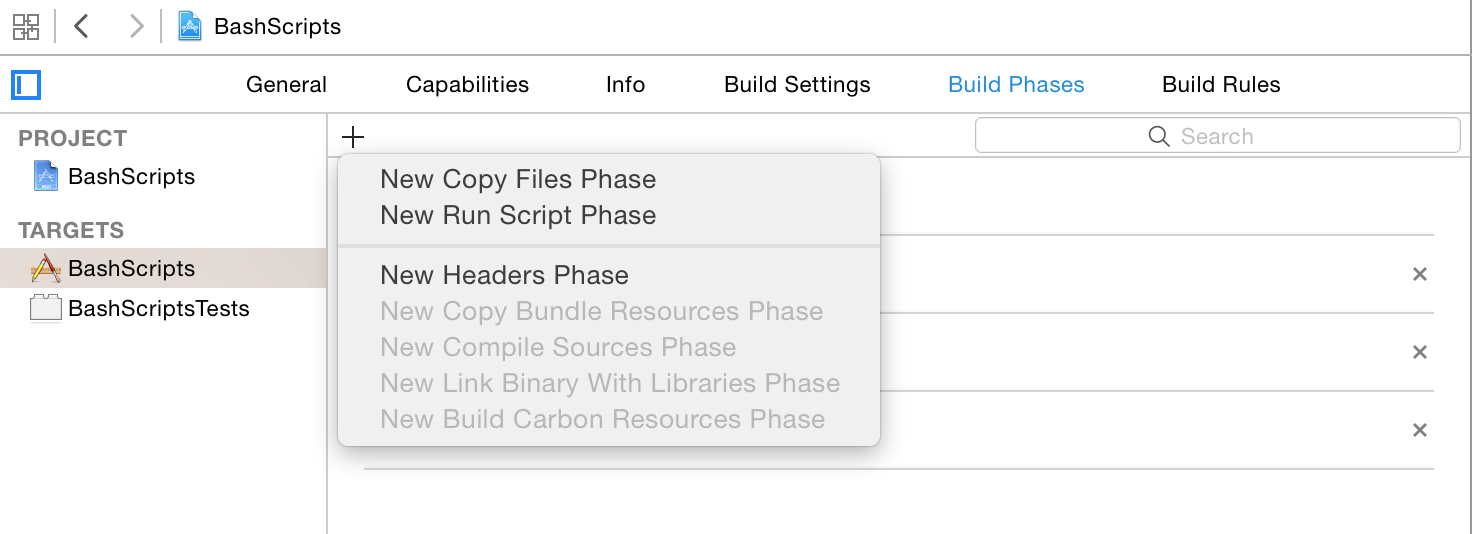
To keep this blog post short, I’ve created a simple script that checks which build configurations were used:
echo "note: Starting script phase.”
echo "warning: testing for Debug target"

if [ "Debug"= "${CONFIGURATION}" ];
then
    echo "error: please run this script on Release target"
else
    echo "warning: running on Debug target"
fi
Please, take a look in every echo at note:, warning: and error: prefixes. When XCode recognizes any of these tags, the proper indicator will show up in Report Navigator and of course at the top bar:
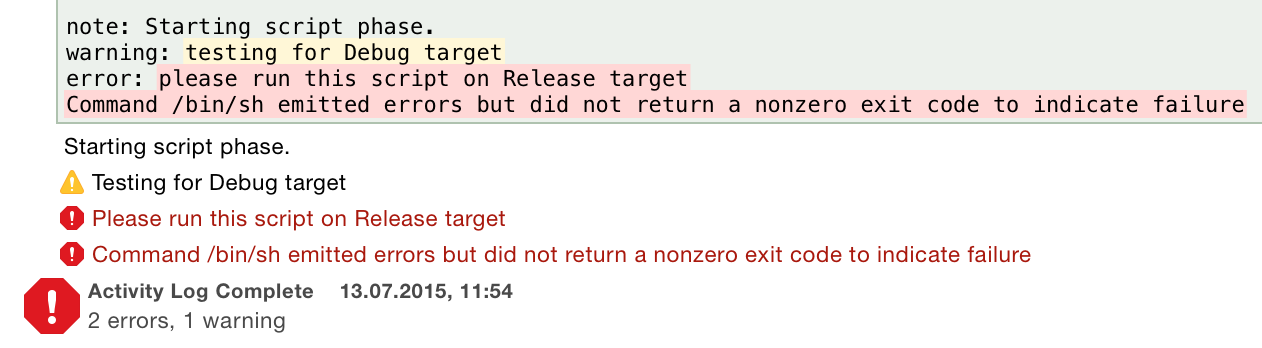
Pay attention to the colon at the end of each tag. Tags can be placed anywhere in the message.